
Band Help Center
Find the steps for your next workout, or jump to the part of Band you need help with.
By Band team
Published 2 min read
Practical guidance from the Band team.
Start a guided workout
Open Workouts, select a routine, and review the exercises and equipment. Start when you are ready. Use pause if you need time to readjust or review the movement.
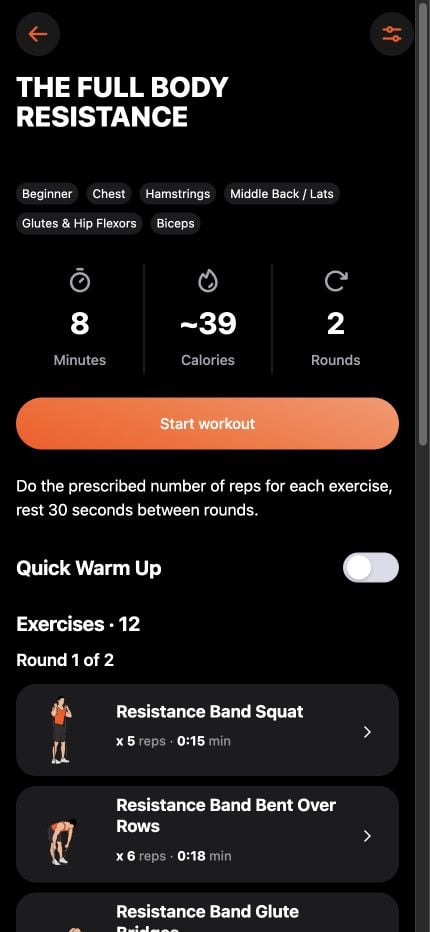
Preview an exercise
Open an exercise to view its demonstration, instructions, and muscle information. On this website, select Show demonstration to load the movement animation. The website is a selection of app exercises, not the entire app catalog.
Open the website exercise libraryCreate a custom workout
Open Builder and choose Create Workout. Start with a template or select exercises, adjust the order and timing, then save. Review the setup before beginning.
Follow the Builder guideUse Band offline
Built-in workouts and timers work offline after installation. Download the app and check that the content you need is available before traveling. Store purchases, restoration, and some optional services need a connection.
Get help with Pro access
Additional workouts may require Pro access. Check the current offer in the app and the applicable store before purchasing. If a previous purchase is not recognized, check that you are using the store account associated with it and use the app’s purchase restoration option.
If access is still missing, contact support with your platform, app version, and a description of the issue. Never send your password or payment-card details. Subscriptions are managed through the store where you purchased them.
Move or protect your custom workouts
Use the app’s backup and restore tools before moving devices. Keep exported backups in a place you control. Purchase access is restored separately through the store; it is not included in a workout backup.
Read how Band handles your dataContact support
Tell us what you were trying to do, what happened, and your device and app version. Include a screenshot if it helps explain the problem, after removing personal information.
Email Band supportYour next session starts here.
Take what you learn into BAND with guided workouts, interval timers, and voice cues.
Keep learning
Training guides3 min read
Resistance bands for beginners: start with your setup
Learn how to identify your resistance band, preview exercises, and choose your first guided workout in Band.
Equipment3 min read
Loop vs. tube resistance bands: which setup fits you?
Compare long loops, mini loops, and tube bands with handles, then find real Band exercise demonstrations for your setup.
Equipment3 min read
Build a home gym with resistance bands
Plan a compact resistance band workout space, check equipment requirements, and choose exercises for the setup you actually own.
Training evidence3 min read
Do resistance bands build muscle? What the evidence says
Understand the evidence for resistance bands, the difference between strength and muscle growth, and practical ways to structure training.